
How to Keep a WordPress Website Secure
How to Keep a WordPress Website Secure in 2026
A WordPress website is never really finished. Once it is live, the software behind it continues to change — and keeping it secure means looking after it properly.
Keep things updated.
Remove what you no longer use.
Control who has access.
Back up and monitor the site.
Security is part of maintenance.
WordPress itself, plugins, themes, hosting platforms and the software around them all continue to change after a website goes live.
That does not make WordPress unsafe. It means a website needs regular attention.
Many security problems begin with something fairly ordinary: an old plugin that has not been updated, a user account that should have been removed, a weak password, or a website that nobody has checked for several months.
Keep WordPress, plugins and themes up to date.
WordPress websites are made up of several moving parts. There is WordPress itself, the active theme and usually a number of plugins providing things such as forms, SEO tools, page builders, backups or ecommerce.
All of these need to be maintained.
Updates often include more than new features. They can also fix bugs and security vulnerabilities that have been discovered since the previous version was released.
That is why leaving updates untouched for months can create unnecessary risk.
Simply clicking “update everything” and walking away is not really website maintenance.
Remove plugins and themes you no longer need.
Over time, WordPress websites tend to collect things.
A plugin may have been installed to test a feature. A previous theme may still be sitting on the server. Something may have been replaced but never actually removed.
If software is no longer required, there is usually little benefit in keeping it installed.
Every additional plugin or theme is another piece of software that needs to be maintained and monitored.
Do we still need this?
If the answer is no, remove it rather than simply leaving it deactivated. A smaller, well-maintained website is generally easier to manage than one carrying years of unused software.
Protect access to the website.
Not every security issue begins with a technical vulnerability. Sometimes the simplest route into a website is through an existing account.
Strong, unique passwords are still important, particularly for administrator accounts. Passwords should not be reused across WordPress, email and hosting accounts.
Two-factor authentication can add another useful layer of protection by requiring a second form of verification when someone logs in.
It is also worth reviewing who has access to the website.
Make sure you have reliable backups.
A backup is one of those things you hope never to need.
But if something does go wrong, it can be the difference between restoring a website quickly and rebuilding parts of it from scratch.
Backups should be taken regularly and, ideally, stored separately from the website itself.
The right frequency depends on the website. A site that changes every day, takes orders or receives regular enquiries may need more frequent backups than a small brochure website that changes only occasionally.
Can the backup actually be restored?
A backup is only useful if it works when you need it. That is why backups should form part of an ongoing maintenance process rather than simply being switched on and forgotten.
Keep an eye on the software your website relies on.
Not all WordPress plugins are maintained forever.
Developers stop supporting products, plugins are withdrawn and sometimes an alternative becomes the safer long-term choice.
That means website maintenance is not only about installing available updates. It is also about occasionally reviewing the software the website depends on.
This is particularly important for plugins that perform critical jobs such as forms, backups, ecommerce or user management.
Monitor the website rather than waiting for something to break.
A website can look perfectly normal while something is wrong behind the scenes.
That might be an unfamiliar administrator account, unexpected changes to files, a plugin with a newly discovered vulnerability or software that has quietly fallen out of support.
Regular monitoring helps spot those things earlier.
For businesses, schools and organisations relying on their website for enquiries, communication or recruitment, discovering a problem early is much better than finding out because a visitor reports it.
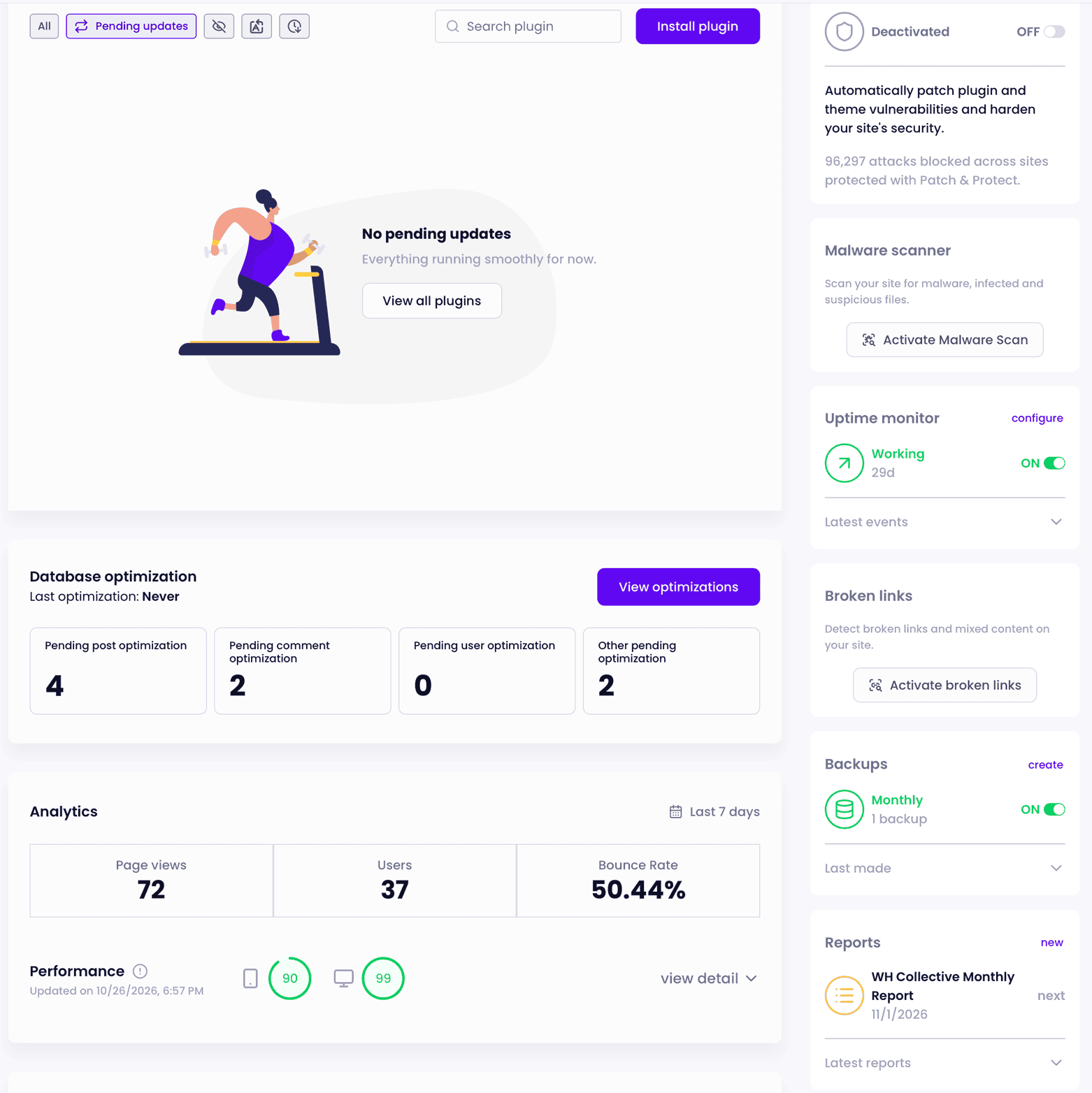
Ongoing monitoring gives us a clearer view of updates, backups, uptime and security information across the websites we maintain, helping us see when something needs attention.
This is one of the reasons website maintenance has become increasingly important. It is no longer just about keeping WordPress tidy. It is about knowing what is happening on the website and responding when something needs attention.
Treat security as ongoing maintenance.
There is no single plugin or setting that makes a WordPress website permanently secure.
Security is a combination of small, sensible measures carried out consistently.
Having someone regularly checking the website means problems are more likely to be noticed before they become serious.
That is why we see website security as part of website maintenance rather than a separate task that is completed once and forgotten.
WordPress security does not need to be complicated.
Most organisations do not need to understand every technical detail behind their website.
They do need to know that somebody is looking after it.
A maintained website should be regularly updated, backed up, monitored and reviewed so that outdated software and avoidable risks do not quietly build up over time.
Security is about reducing risk.
The aim is not to promise that a website can never experience a security problem.
It is to reduce the risk, spot problems earlier and make sure there is a plan if something does happen.
Need help looking after your WordPress website?
WH Collective provides ongoing WordPress maintenance, hosting and support for businesses, schools and organisations. We take care of the routine work behind the scenes so your website stays current, backed up and properly maintained.